


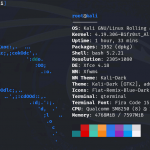


The POCO X3 Pro (Vayu/Bhima) receives a major kernel update with the release of RE404 vR2 Kernel. Developed by deutereum, this release introduces numerous scheduler enhancements, updated CPU frequency management, graphics optimizations, broader ROM compatibility, and several stability improvements aimed at delivering better performance across Android 11 through Android 16 QPR2.
Designed for both performance enthusiasts and daily users, RE404 vR2 incorporates Linux backports, modern scheduler improvements, advanced GPU scaling, and integrated KernelSU support while maintaining compatibility with a wide range of custom ROMs.
RE404 vR2 Kernel Information
- Kernel Name: RE404 vR2
- Linux Version: 4.14.357
- Device: POCO X3 Pro (Vayu/Bhima)
- Kernel Type: Custom Linux Kernel
- Supported Android Versions: Android 11 to Android 16 QPR2
- Supported ROMs: AOSP, MIUI, HyperOS, and OxygenOS
- Developer: deutereum
- Updated: 1 July 2026
What’s New in RE404 vR2?
Mainline Scheduler Backports
The kernel incorporates multiple Linux mainline scheduler backports, improving CPU scheduling efficiency and delivering smoother multitasking under heavy workloads.
Improved Scheduler Stability
Scheduler behavior has been further refined compared to previous releases, resulting in better responsiveness and improved workload distribution across CPU cores.
Sultan’s IRQ sbalance
RE404 now implements Sultan’s IRQ sbalance, improving interrupt balancing and helping reduce CPU overhead during intensive tasks.
Thermal Pressure Accounting
Support for thermal pressure accounting allows the scheduler to make more informed decisions when the device experiences thermal throttling, improving performance consistency.
GPU Scaling Improvements
Several GPU optimizations have been introduced:
- KGSL commit-aware minimum frequency flooring
- DFPS-aware msm-adreno-tz boost multiplier
These enhancements improve graphics responsiveness while adapting GPU behavior to dynamic refresh rates.
Updated CPU Frequency Driver
The CPU frequency driver has been upstreamed with advanced Fast Input Event (FIE) support, allowing the processor to react more quickly to user interactions.
Sahara Mode Fix
A reboot-related issue that could trigger Sahara Mode has been resolved.
CPU Stability Fixes
The kernel fixes unexpected CPU offline behavior that could occur on certain custom ROMs, improving overall stability.
DroidSpaces Support
Support for DroidSpaces has been added, expanding compatibility with advanced virtualization and application isolation environments.
CPU Scheduling Assist
New scheduling helpers include:
- cpuset assist
- uclamp assist
These additions improve workload placement and CPU scheduling efficiency.
Generic IR Driver Support
Compatibility has been expanded for generic Infrared (IR) drivers.
Linux 6.1 schedutil
The schedutil governor has been imported from Linux 6.1, providing improved CPU frequency scaling and better responsiveness.
Touchscreen Firmware
Optional lybkernel touchscreen firmware has been integrated and is automatically loaded on compatible touchscreen hardware.
Security and Performance Improvements
Several userspace controls have been restricted to improve consistency and performance, including:
- Disabled IRQ affinity control
- Disabled policy minimum frequency control
- Blocked unnecessary performance daemons
- Blocked logging daemons
Code Cleanup
The release also includes:
- Removal of Qualcomm CPU isolation
- Removal of unused drivers
- Removal of debug code
- Fingerprint driver refactoring
These changes help simplify the kernel while improving maintainability.
Built-in Features
RE404 vR2 includes numerous advanced kernel features:
- RKSU v3.2.2 support
- KowSU v3.2.4 support
- NTsync
- ThinLTO
- EEVDF scheduler
- KCAL color control
- DroidSpaces
- Bypass Charging
- Frame-aware CPU scaling
- DFPS-aware scaling
- PELT + EEVDF + CASS scheduler stack
Official Changelog Highlights
- Mainline scheduler backports
- Improved scheduler stability
- Sultan’s IRQ sbalance
- Thermal pressure accounting
- KGSL commit-aware GPU scaling
- DFPS-aware GPU boost
- Updated cpufreq driver
- Sahara mode fix
- CPU offline fixes
- DroidSpaces support
- cpuset assist
- uclamp assist
- Generic IR support
- Linux 6.1 schedutil
- Optional touchscreen firmware
- Restricted userspace performance controls
- Removed Qualcomm CPU isolation
- Driver cleanup
- Fingerprint driver refactoring
Installation Notes
Before flashing the kernel, the developer recommends:
- Supports Android 11 through Android 16 QPR2.
- Compatible with AOSP, MIUI, HyperOS, and OxygenOS.
- Use the BPF version when running Android 16 QPR2 or newer.
- The kernel version string is reported as v4.19.404R.
- Review the installation guide before flashing.
- Back up important data before replacing your kernel.
Installation Guide:
Supported methods :
- – Manual install (recommended)
- – Auto install
- – Sideload
Supported environment :
- – Recovery (twrp/ofox/skkk)
- – FKM Flasher
Important Links
Channel:
Support Group:
http://t.me/projkt113disc
RKSU:
https://t.me/rsukrnlsu/1193
KowSU:
https://t.me/kowsu_build/234
What is NTsync?:
https://telegra.ph/What-is-NTSync-05-21
N0Kontzzz Kernel Manager:
https://github.com/bimoalfarrabi/N0Kontzzz-Kernel-Manager
Credits
Special thanks to everyone who contributed to this release:
- deutereum – Kernel developer
- Contributors to the Linux kernel, RKSU, KowSU, and the broader Android kernel development community
Final Thoughts
RE404 vR2 is a significant kernel update for the POCO X3 Pro, delivering a broad range of scheduler, CPU, GPU, and system-level improvements. With Linux mainline scheduler backports, Linux 6.1 schedutil, advanced GPU scaling, DroidSpaces support, and extensive code cleanup, the kernel is designed to provide smoother performance, improved responsiveness, and better long-term stability across Android 11 to Android 16 QPR2.
Its wide ROM compatibility, integrated root support options, and modern scheduler technologies make RE404 vR2 an excellent choice for users looking to maximize the performance and efficiency of their POCO X3 Pro. Before flashing, ensure you select the appropriate BPF variant for Android 16 QPR2 if required, follow the official installation guide, and create a full backup of your device.